What Is a Noise Floor?
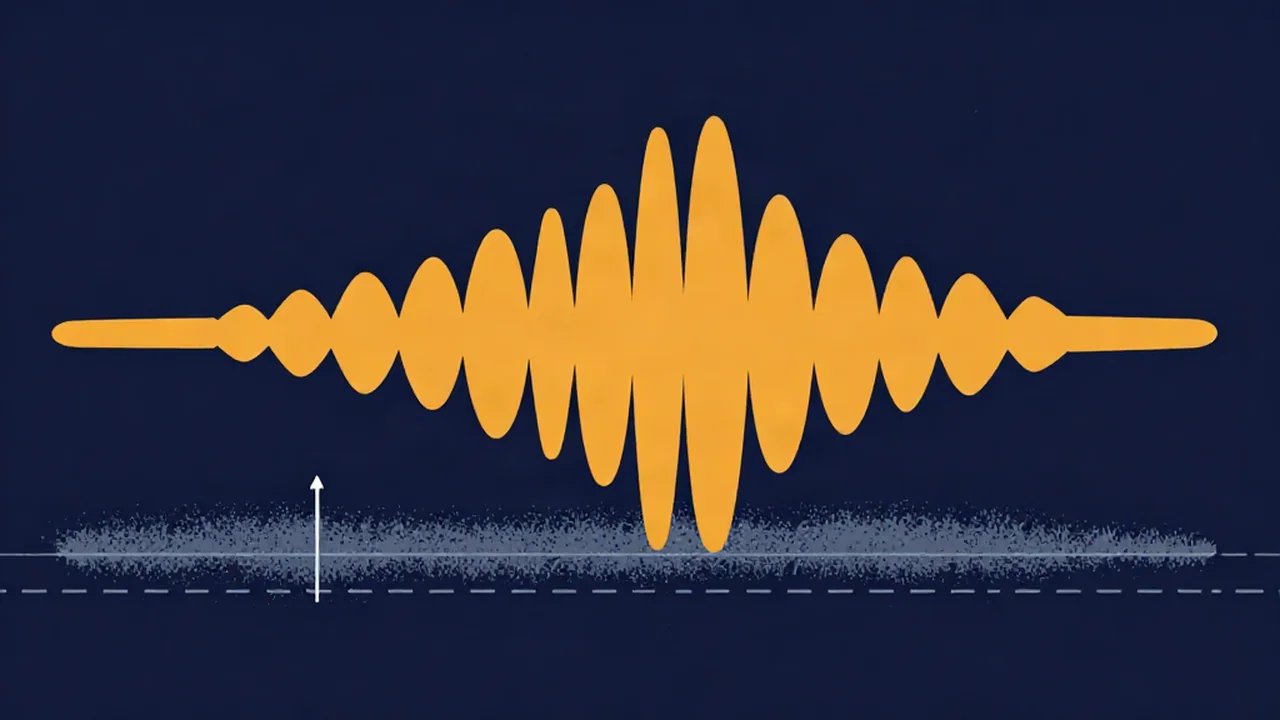
The noise floor is the residual background level that sits underneath everything in a recording, and how far below your voice it sits decides how much a Noise Reducer can do for you. It is the sum of every unwanted sound present when nobody is performing: microphone hiss, preamp noise, the converter's own limits, plus the room itself, such as an air vent, a fridge, or traffic outside. In digital audio it is measured in dBFS (decibels relative to full scale), where 0 dBFS is the loudest a file can go and every real level is a negative number. A quiet, untreated home room usually sets a much higher floor than a treated studio, and the gap between the two can be tens of decibels.
Where the noise floor in audio comes from
Two sources stack together, and it helps to keep them apart because the fixes are different.
Gear: self-noise, preamps, and bit depth
Every microphone produces a little noise of its own, called self-noise. Manufacturers usually spec it as an equivalent sound level in dB-A SPL: a mic rated at 15 dB-A hisses about as loudly as a 15 dB sound arriving at its capsule. Lower is quieter. After the mic come the preamp, which adds its own hiss as you turn it up, and the analog-to-digital converter. Bit depth sets a theoretical limit too: each bit is worth about 6 dB, so 16-bit audio has roughly 96 dB between full scale and its quantization noise (the tiny rounding error left when a smooth signal is stored as whole-number steps), and 24-bit about 144 dB in theory. No real converter gets near that 24-bit figure; the analog circuitry in front of it typically limits practical performance to somewhere around 110 to 120 dB.
Room: everything the mic hears
HVAC, computer fans, fluorescent lights, a refrigerator, street noise, and reflections from bare walls all land on the mic along with your voice. In many home and small-studio recordings, the room is louder than the gear. That is why the 16-bit vs 24-bit debate rarely matters for a podcast: the fan in the corner is already far above either format's limit, and it eats into your dynamic range long before bit depth does.
What the noise floor actually sounds like in a given space has its own name: room tone.
Signal-to-noise ratio: why a lower floor matters
What really counts is the gap between the floor and your signal, called the signal-to-noise ratio. If your voice peaks around -12 dBFS and the floor sits at -70 dBFS, you have about 58 dB of clean space. That gap is your usable dynamic range. Quiet syllables, breaths, and reverb tails all live in it, and the more room there is, the less they get buried in hiss.
This is also why gain added after the fact never helps. Turn up a quiet recording in an editor and the noise floor rises by exactly the same amount as the voice, so the signal-to-noise ratio doesn't change. The only way to improve the ratio is to capture more signal relative to the noise at the source, which is the whole point of gain staging: set the input high enough that the voice sits well above the floor while still leaving headroom below 0 dBFS.
Noise reduction depends on that gap as well. Spectral cleanup works by estimating what the noise looks like on its own and turning down the parts of the signal that resemble it. It works best when the floor is steady (a constant hiss or hum, not a door slam) and sits well below the voice. When the floor is close to the voice, the processor can't separate them cleanly, and pushing harder leads to the watery, thin sound described in how much noise reduction is too much.
How to measure the noise floor
Record a few seconds of silence with everything set up exactly as you will use it: same mic, same position, same gain, fans in whatever state they'll be in. Then look at that silent stretch.
- Level meter: play the silent section and read the level. Vocal Cut's Mic Test shows your live input level in dB while you sit quiet, and it tells you if the browser is applying noise suppression or auto gain, which would make the reading look cleaner than your raw signal.
- Spectrum view: the Audio Spectrum Analyzer works live from your microphone or from a file. A flat, smooth spread across the highs points to hiss (how to remove hiss from audio); narrow spikes at 50 or 60 Hz and their multiples point to electrical hum (how to remove hum and buzz from audio).
- Spectrogram view: the Spectrogram draws the whole file over time, so you can see whether the floor is constant or comes and goes. Lowering its dynamic-range setting hides the background; raising it reveals it.
How to lower the noise floor before cleanup
Noise you avoid while recording is noise a noise reducer never has to touch, and it leaves fewer artifacts.
- Get closer to the mic. Halving the distance raises your voice by roughly 6 dB while the room noise stays about the same, so the signal-to-noise ratio improves without touching the gain.
- Set the gain properly. Aim for peaks with comfortable headroom rather than a timid, low level you'll boost later. How to set recording levels walks through it.
- Turn off what you can. Fans, air conditioning, the fridge, and noisy laptop chargers. Move the mic away from the computer.
- Soften the room. Curtains, a couch, or a closet full of clothes cut reflections and some outside noise.
- Then clean up what's left. Vocal Cut's Noise Reducer has a Music mode, a spectral gate that builds its noise profile automatically from the quietest parts of the file and can also detect 50 or 60 Hz mains hum, and a Voice mode that uses an AI speech-enhancement model and needs no noise sample. An Original/Denoised blend slider lets you back the effect off. Processing runs in your browser, so your audio never leaves your device; the Voice model downloads to the browser on first use, and processing a long file takes time.
For related terms like headroom, decibels, and dynamic range, browse the Audio Explainers hub.
Frequently asked questions
What is a good noise floor for recording voice? There's no single official number, but lower is better and the gap to your voice matters most. For spoken-word recordings, a common benchmark is the ACX audiobook standard, which asks for a noise floor no higher than -60 dB RMS (an average level, not the peak), with voice peaks well above it. If the floor is audible in quiet passages through headphones, it's worth lowering at the source before reaching for noise reduction.
Does 24-bit audio have a lower noise floor than 16-bit? In theory, yes. 16-bit audio offers about 96 dB of dynamic range and 24-bit about 144 dB, since each bit adds roughly 6 dB. In practice, the microphone, preamp, and room noise sit far above either limit, so a 24-bit file mainly gives you more margin when recording at conservative levels rather than an audibly quieter background.
Does turning up the volume increase the noise floor? Yes. Gain applied after recording raises the noise floor by exactly as much as the voice, so the signal-to-noise ratio stays the same and the hiss simply gets louder. The way to improve the ratio is at the source: get the mic closer, set input gain correctly, and quiet the room before you record.
Can noise reduction remove the noise floor completely? Not without side effects. Noise reduction can lower a steady floor such as hiss, hum, or fan noise by a useful amount, but pushing it too far makes voices sound thin, watery, or robotic. It works best when the floor is constant and sits well below the voice, so reducing noise at the source first gives the cleanest result.