What Is Multiband Compression?
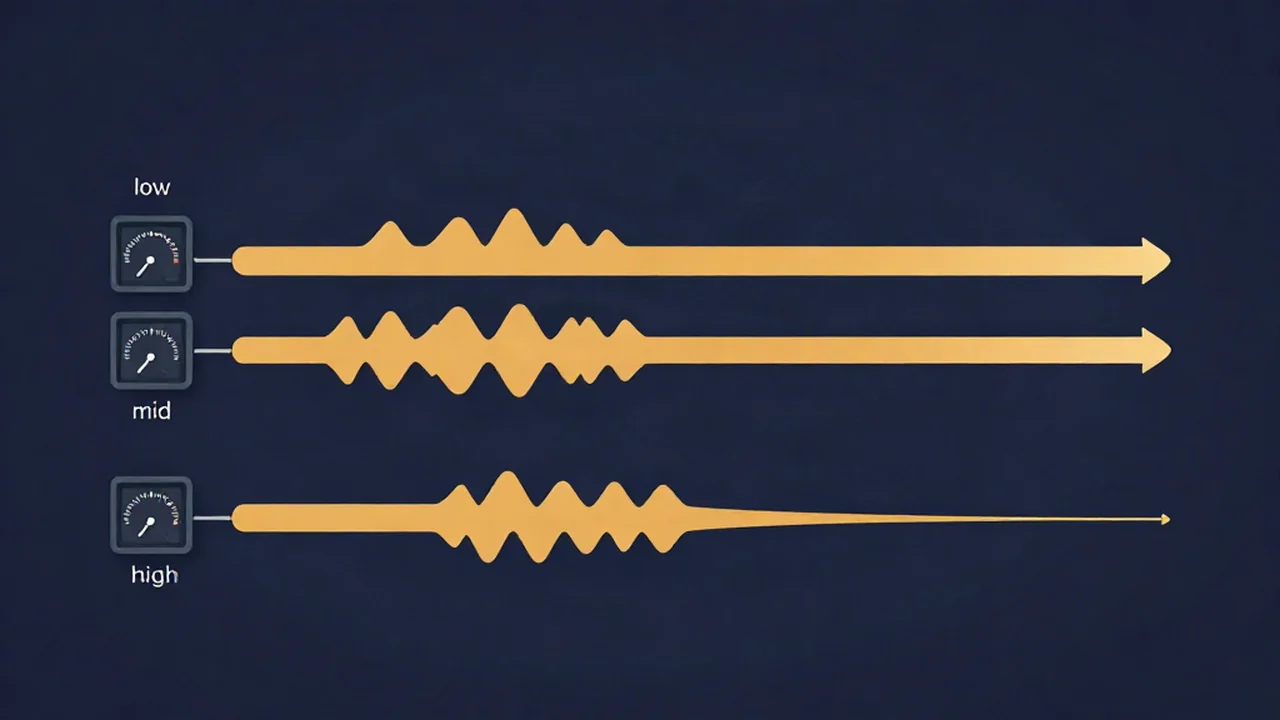
Multiband compression is compression applied separately to different frequency ranges of your audio at the same time — and you can hear it in action when you run a track through a browser audio mastering tool. Instead of one compressor acting on the whole signal, the audio is split into frequency bands (typically lows, mids, and highs), each band gets its own compressor, and the bands are then recombined. That means a loud low-end thump can be tamed without touching the vocals or cymbals sitting above it.
If you are new to the underlying idea, it helps to first understand what audio compression is: a compressor automatically turns down the loudest parts of a signal so the overall level is more even. A multiband compressor just does this in several frequency zones independently rather than all at once.
How multiband compression works
A multiband compressor has three stages.
First, a set of crossover filters splits the incoming signal into bands by frequency. A crossover is simply a filter that decides where one band ends and the next begins — for example, everything below a certain frequency goes to the "low" band, everything above goes to the "high" band. Three or four bands is common.
Second, each band runs through its own compressor, with its own threshold, ratio, attack, release, and makeup gain. So the low band might be squashed firmly while the high band is barely touched. If those controls are unfamiliar, how to use a compressor walks through what each one does, and what compression ratio means covers how hard the compression bites.
Third, the processed bands are summed back together into one output. Done well, the recombined signal sounds like the original, just with the problem frequencies under control.
Multiband vs single-band compression
A single-band (or wideband) compressor looks at the whole spectrum at once. That is fine most of the time, but it has a well-known weakness: a loud event in one part of the spectrum drags down everything.
Picture a mix with a heavy kick drum. On a single-band compressor, every kick hit crosses the threshold and triggers gain reduction across the entire signal — so the vocal, guitars, and cymbals all dip in volume in time with the kick. That rhythmic dipping is called pumping, and it is the classic giveaway of a single-band compressor working too hard.
A multiband compressor solves this directly. The kick lives in the low band, so it only triggers gain reduction in the low band. The vocal and cymbals in the higher bands are left alone. This targeted control — reducing one band's level without ducking the rest of the mix — is the main reason people reach for multiband compression.
When to use it
Multiband compression shines when a problem lives in one part of the spectrum:
- De-essing. Harsh "s" and "t" sounds (sibilance) usually sit somewhere in the 5–8 kHz range, though the exact spot varies by voice. A de-esser is essentially a multiband compressor working on a narrow high band, clamping down only when sibilance spikes.
- Taming a boomy low end. If bass notes or a kick make the mix sound heavy and uneven, compressing just the low band evens them out. This is a common fix when a track sounds muddy.
- Controlling harsh highs or cymbals. A band focused on the upper frequencies can smooth out brittle, fatiguing top end.
- Gentle mastering glue. On the master bus, very light multiband compression can tighten the balance between bass, mids, and treble without obviously squashing anything.
One honest caveat: multiband compression is a problem-solver, not a default. A single-band compressor is the right tool in most situations, and on a well-balanced mix there is often little reason to reach for multiband first. If nothing sounds wrong in a specific frequency range, you probably do not need it. Grabbing a multiband compressor "just because" is an easy way to make a good mix worse.
Multiband compression vs EQ
Multiband compression is easy to confuse with equalization, because both work on frequency ranges. The difference is timing.
EQ is static. A boost or cut is always on. Cut 3 dB at 200 Hz and it is cut by 3 dB the entire time, whether that frequency is loud or quiet.
Multiband compression is dynamic. It only reduces a band when that band gets too loud, and it backs off when the band settles down. So if your low end is only boomy on certain notes, EQ would thin out every note to fix a few, while multiband compression leaves the quiet notes alone and clamps only the loud ones. Use EQ for a consistent tonal problem; use multiband compression for a level problem that comes and goes within a frequency range.
Typical settings as starting points
Real values depend entirely on the source material, so treat everything below as a place to begin, not a recipe:
- Number of bands: 3–4 is typical; anywhere from 2 to 6 shows up depending on the task.
- Crossover points: program-dependent. A low or "boom" band might sit somewhere around 120–200 Hz (sometimes up to ~300 Hz), but set it by ear where the problem actually lives.
- Gain reduction: aim for roughly 1–3 dB per band when mixing, and even less — about 1–2 dB per band — for gentle mastering glue. If you are pulling far more than that, an EQ move or a mix fix may be the better answer.
Small amounts go a long way. The goal is to control dynamic range in a specific band, not to flatten it.
Where does this fit in the bigger picture? Multiband compression is one link in the mastering chain, usually sitting alongside EQ and before the final limiter (see compressor vs limiter for how those two differ). Vocal Cut's audio mastering tool actually includes multiband compression in its DSP chain, right beside EQ, stereo width, and LUFS-targeted limiting — and all of it runs locally in your browser, so your audio never leaves your device. For more background reading, browse the explainers hub.
Frequently asked questions
What's the difference between multiband compression and a regular compressor?
A regular (single-band) compressor acts on the whole signal at once, so one loud instrument can duck the entire mix. A multiband compressor first splits the audio into frequency bands and compresses each separately. That lets it turn down a loud low end, for example, without affecting the vocals or cymbals in the higher bands.
When should I use multiband compression?
Reach for it when a problem lives in one part of the spectrum — boomy bass, harsh sibilance, or brittle highs — that a single-band compressor would fix by squashing everything. It is a targeted problem-solver, not a default. On a well-balanced mix with no frequency-specific issue, a normal compressor is usually the better and simpler choice.
Is multiband compression the same as EQ?
No. EQ is static: a boost or cut stays applied at all times. Multiband compression is dynamic: it only reduces a band's level when that band gets too loud, then backs off. Use EQ for a constant tonal change, and multiband compression when a level problem in one frequency range comes and goes over time.
How many bands should I use?
Three or four bands cover most tasks, with a practical range of two to six. Use only as many as the problem needs — more bands means more crossover filters and more chances to make the sound worse. If you are just taming one boomy low end, a single active band may be all you require. Set the crossover points by ear.
Is a de-esser just a multiband compressor?
Essentially, yes. A de-esser is a compressor focused on a narrow high band, typically somewhere in the 5–8 kHz range where sibilance lives, though the exact frequency varies by voice. It applies gain reduction only when harsh "s" sounds spike, leaving the rest of the signal untouched — which is exactly what one band of a multiband compressor does.
Do I need multiband compression to master a song?
No. Plenty of well-mastered tracks use only EQ, a single-band compressor, and a limiter. Multiband compression is worth adding to the mastering chain when a specific frequency range misbehaves — for example, an inconsistent low end. If nothing in the mix sounds wrong band by band, you can skip it entirely and still get a clean master.