Clip-On Tuner vs Online Tuner: Which to Use
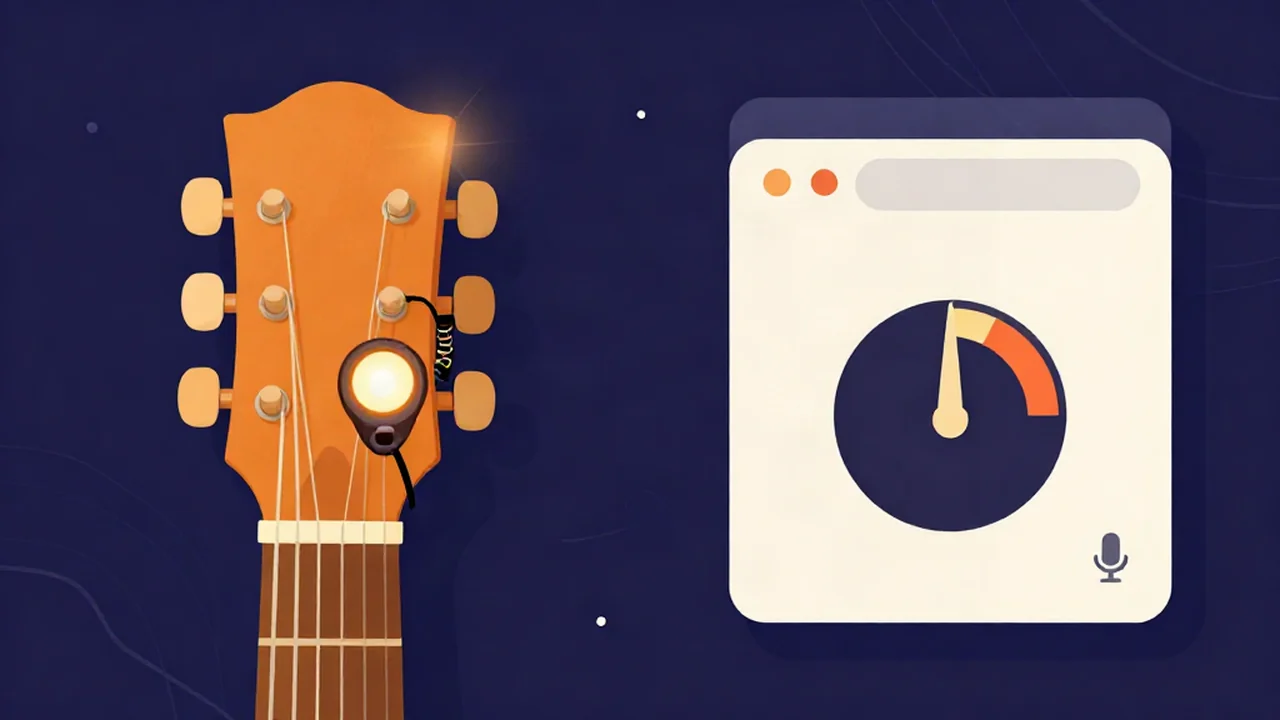
Choosing between a clip-on tuner vs online tuner comes down to what each one listens to: a clip-on feels the vibration of your guitar through the headstock, while an online tuner like the free Guitar Tuner hears your instrument through a microphone. In a quiet room both will get you in tune. In a loud room, the clip-on usually wins. When you don't have a clip-on with you, the browser tuner is free and already on whatever phone or laptop you're holding.
Neither one is the best tuner for everyone. The rest of this article explains why they behave differently, where each one goes wrong, and which to reach for in the situations guitarists and bassists actually tune in. If you just want to get in tune right now, How to Tune a Guitar With an Online Tuner walks through it string by string.
At a glance
| Clip-on tuner | Online tuner (browser, mic) | |
|---|---|---|
| How it senses pitch | Piezo vibration sensor clamped to the headstock | The device's microphone, through the browser |
| Hears the room? | Largely no | Yes. Everything in the room is in the signal |
| Best for | Noisy rooms, rehearsals, stages, acoustic and bass | Quiet practice, quick checks, when you have no tuner on you |
| Weak spot | Placement, thick headstocks, some cheaper models track low notes unevenly (user-reported) | Background noise, unplugged electric guitars, phone mics |
| Cost | Typically about $15–50 USD | Free |
| Power | Often a CR2032 coin cell | The device you already have |
| Setup | Clip it on, switch it on | Open the page, allow microphone access |
| Reference tones | Depends on the model | Vocal Cut's tuner plays each string's target pitch |
How a clip-on tuner works: it feels the wood
A clip-on tuner clamps to the headstock and senses pitch with a piezo vibration sensor. When you pluck a string, the vibration travels through the neck into the headstock, and the sensor picks it up directly. D'Addario's support documentation describes its clip-ons the same way.
That design is the clip-on's whole advantage. The sensor is touching the instrument, so it responds mostly to the instrument. A drummer warming up, a crowd talking, or another guitarist tuning next to you barely registers, because those sounds arrive as air pressure, not as vibration in your headstock. This is why clip-ons are such a common sight at band rehearsals and gigs.
Some models also include a microphone mode for instruments you can't clip onto. Once you switch to it, the clip-on hears the room just like any mic tuner does.
Accuracy, price and power
Many clip-ons don't publish an accuracy figure. One that does is the TC Electronic PolyTune Clip, which lists ±0.5 cent in chromatic mode and ±0.02 cent in strobe mode, a polyphonic mode that reads all strings at once, a reference pitch adjustable from 435 to 445 Hz, and a CR2032 battery. Other common brands don't publish a numeric accuracy, so there's nothing to compare them on directly.
Prices typically run from about $15 to $50 USD, though they change often. Many run on a CR2032 coin cell, and a dead battery at a gig is a real hazard, so a spare in the case is worth it.
Where clip-ons fall short
- Placement matters. The sensor needs good contact. Guitarists report that moving the clip a little along the headstock can steady a jumpy reading.
- Low notes can be patchy. Players report that some cheaper clip-ons track the low E or a bass's lowest strings less reliably than the higher strings. That's user experience from forums, not a published spec, and it varies by model.
- Some headstocks are too thick for the clamp to grip.
- Finish safety. Gibson's support FAQ warns that many clip-on tuners may damage nitrocellulose lacquer finishes. Take it off after tuning instead of leaving it clamped on for days.
How an online tuner works: it hears the air
An online tuner, whether it's a web guitar tuner in a browser or a phone app, uses a microphone. A microphone measures changes in air pressure. That is all it can do. Your guitar string moves the air, but so does the fridge, the traffic outside, the television in the next room, and your own voice. Every one of those sounds reaches the mic at the same time and ends up in the same signal.
So the tuner has to separate your string from everything else in software. When the string is clearly the loudest periodic sound in the room, that works well. When the room is loud, or your instrument is quiet, the tuner is guessing from a messier signal, and the reading can wobble or disappear. This is the main reason a clip-on beats a mic in a noisy room: the issue is what the mic hears, not how accurate the tuner is. How accurate any app or site is depends on the device's mic and the detection algorithm, and there's no independent accuracy figure for mic tuners as a group.
What happens inside Vocal Cut's online tuner
Our Guitar Tuner is built around those problems:
- It asks for a raw mic. Browsers often turn on echo cancellation, noise suppression and automatic gain for calls. Those pump and gate a sustained string, so the tuner asks the browser to switch all three off.
- It uses autocorrelation, not just the loudest frequency. A plucked string's fundamental can be weaker than its harmonics. Picking the biggest peak in a spectrum can name the wrong octave, so the tuner looks for the repeating period of the waveform instead.
- It smooths and ignores noise. It reads about 8 times a second and takes the median of the last 5 readings, which keeps the needle from twitching. Input too quiet or too irregular to trust is treated as noise, so no reading appears rather than a wrong one.
- It covers bass and guitar. Detection runs from about 35 Hz to 1,400 Hz, which takes in a bass's low E at about 41 Hz.
There are Chromatic, Guitar, Bass, Ukulele and Violin modes. Instrument modes snap to the nearest open string, and chromatic snaps to the nearest semitone. What Is a Chromatic Tuner? explains when each makes sense. The cents meter (a cent is 1/100 of a semitone) runs ±50, and "in tune" shows when you're within ±5 cents. You can set the A4 reference anywhere from 415 to 466 Hz (440 by default), and each string has a reference tone button that plays the target pitch if you'd rather tune by ear, the method How to Tune a Guitar by Ear covers in full.
Browser specifics: no install, a permission prompt and HTTPS
A browser tuner needs no app and no account. Browsers only allow microphone access on secure (HTTPS) pages, and they always ask you first, so the first time you open the tuner you'll see a permission prompt. If you block it by accident, the tuner can't hear anything until you allow it again in the site settings. Microphone Not Working? How to Fix It covers the usual causes, and the Mic Test is a quick way to check the mic is picking up sound at all.
On privacy: the microphone feeds an analyser only. It isn't recorded, played back or sent anywhere, so your audio never leaves your device.
The electric guitar problem
An unplugged electric guitar is quiet. A solid body doesn't project much sound, so to a microphone a plucked string is faint, and room noise makes up a much bigger share of what it hears. That's why an electric guitar tuner that listens through a mic often gives shaky readings.
You have three options:
- Get the mic close. Hold the phone or laptop near the strings, pluck firmly and let the note ring.
- Tune through the amp. Plug in and play at a moderate volume with a clean sound. To the mic it's now a loud, clear source. Avoid heavy distortion, which piles on harmonics.
- Use a vibration or cable-based tuner. A clip-on feels the guitar directly, and the instrument's loudness doesn't matter.
The third option: pedal tuners
If you play electric guitar or bass through a pedalboard, a pedal tuner is worth knowing about. It sits in your signal chain and reads the instrument's output through the cable, so room noise isn't part of the signal at all. Many can mute your output while you tune, which is handy on stage. It doesn't help an acoustic without a pickup, and many cost more than a clip-on, but for gigging electric players it's often the tuner that stays on the board.
Clip-on tuner vs online tuner: which should you use?
Pick by situation. For more side-by-side reads like this one, the Audio Explainers hub collects them.
Bedroom practice
A browser tuner is all you need in a quiet room. It's free, and the reference tones help beginners learn what each string should sound like. If the tuning drifts again within minutes, Why Your Guitar Won't Stay in Tune is the next stop.
Acoustic guitar
Either works. An acoustic projects plenty of sound, so an online tuner for acoustic guitar gets a strong, clear signal in a quiet room. A clip-on is the better acoustic guitar tuner when the room isn't quiet, or when you're tuning between songs at an open mic.
Unplugged electric guitar
A clip-on is easier. If you only have a browser, hold the device close or tune through the amp, as above.
Bass
Clip-ons work on bass, and a bass's low notes are well within range of the Vocal Cut tuner. Bass strings are loud enough at close range for a mic, though small laptop and phone mics can be weaker at very low frequencies. As an online electric bass tuner, the browser does best through an amp or with the device close. How to Tune a Bass With an Online Bass Tuner has the details.
Gigs and stages
Use a clip-on or a pedal tuner. A stage is the loudest room you'll tune in, and a mic will hear everything on it.
Band rehearsal
Same answer. With a drummer, a bassist and an amp in the room, a mic tuner is listening to all of them. This is where a clip-on earns its place.
Teaching and kids
A browser tuner is hard to beat for lessons. Every student already has it on a phone or a school laptop, nothing needs buying, and the reference tones let a student hear the target before they try to match it. For practice at home, Standard Guitar Tuning: The EADGBE Notes is a good companion.
Travel
Both pack well. A clip-on weighs almost nothing but needs a working battery. A browser tuner needs only the phone you're already carrying, plus a connection to load the page.
Frequently asked questions
Are online tuners as accurate as clip-on tuners?
In a quiet room, a good online tuner gets a guitar as close to pitch as most players need. The difference is reliability rather than precision: a mic hears everything in the room, so noise makes the reading wobble, while a clip-on feels the headstock's vibration and largely ignores the room. Mic tuner accuracy also depends on the device's microphone and the tuner's detection method.
Can an online tuner tune an electric guitar?
Yes, but an unplugged electric guitar is quiet, so the mic picks up a faint signal mixed with room noise. Hold your phone or laptop close to the strings and pluck firmly, or plug into an amp and play a clean, moderate-volume sound so the tuner gets a strong signal. In a noisy room, a clip-on or pedal tuner is easier.
Do clip-on tuners work on bass?
Yes. Clip-on tuners sense vibration through the headstock, and many players use them on bass. Some players report that cheaper models track the lowest strings less steadily, and placement on the headstock can make a difference. A browser tuner works too: Vocal Cut's Guitar Tuner has a Bass mode and detects down to about 35 Hz, below a bass's low E.
Why does my online tuner jump around?
Usually because the microphone is hearing more than your string. Background noise, a weak signal from an unplugged electric guitar, or notes from other strings ringing all get into the reading. Mute the strings you aren't tuning, move the device closer, pluck firmly and let the note sustain. Vocal Cut's tuner median-smooths its readings and shows nothing when the input is too quiet to trust.
Can a clip-on tuner damage my guitar finish?
It can on some finishes. Gibson's support FAQ warns that many clip-on tuners may damage nitrocellulose lacquer finishes, which are common on vintage-style guitars. The safest habit is to clip the tuner on, tune, and take it off again rather than leaving it clamped on the headstock for long periods, especially if you aren't sure what finish your guitar has.
Do I need to install anything to use an online tuner?
No. A browser-based tuner runs in the web page itself, so there's no app to install and no account to create. Browsers only allow microphone access on secure HTTPS pages and always ask your permission first. With Vocal Cut's Guitar Tuner, the microphone feeds an analyser only and is never recorded or sent anywhere, so your audio never leaves your device.