What Is True Peak (dBTP)?
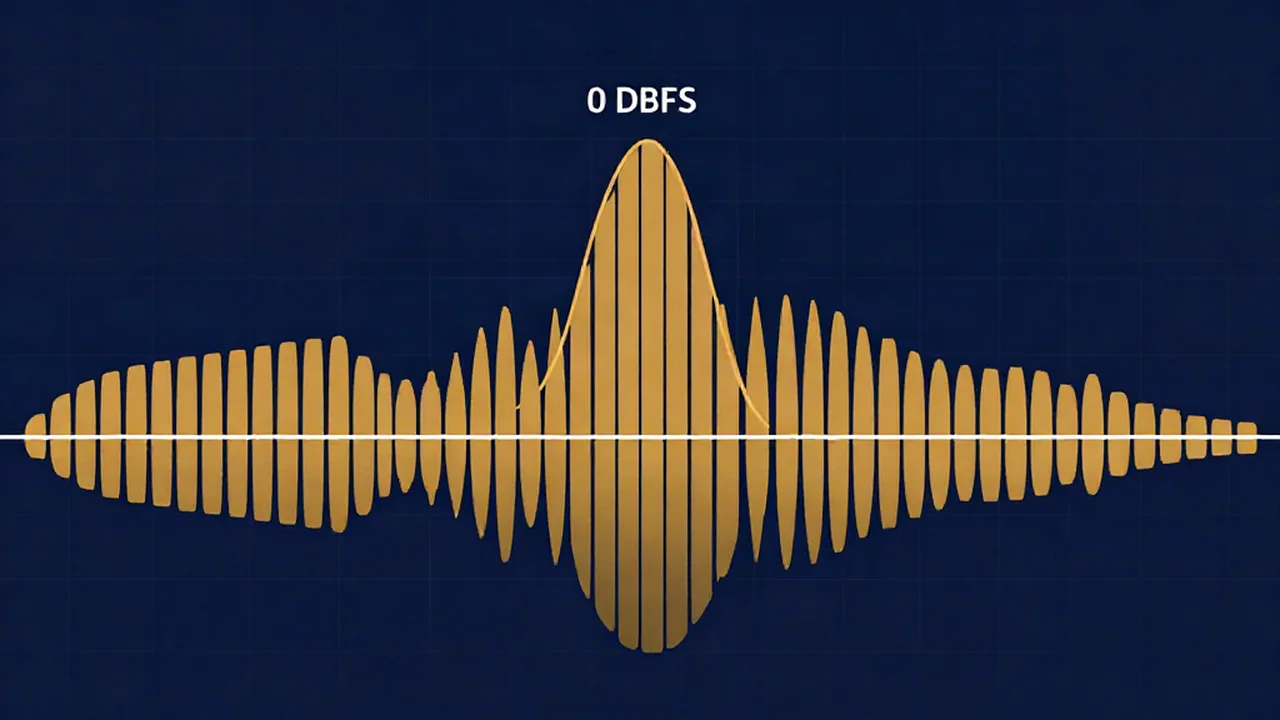
True peak (dBTP) is the highest level an audio signal actually reaches once it is converted back to a continuous analog wave — the real peak that sits between the digital samples, not just on them — which is why a free audio mastering tool caps its output safely below zero instead of right at it. It is written in dBTP, "decibels true peak," and it can read higher than the loudest sample your file appears to contain.
Here is the concrete case. A master might show its tallest sample at exactly 0 dBFS and look perfectly clean, yet the smooth curve a converter draws through those samples can bulge slightly above 0 — say to +0.8 dBTP — and clip on playback. Sample peak sees the dots; true peak sees the line drawn through them.
True peak vs sample peak
Sample peak is the simple reading: the value of the single loudest sample in the file. It is easy to measure and it is what a basic level meter shows. The problem is that digital audio is a set of discrete points, and playback reconstructs a continuous waveform through those points. That reconstructed curve can rise higher than any individual sample between two of them.
True peak measurement estimates that reconstructed level, usually by oversampling the signal (commonly 4x) before reading the maximum. That is why true peak vs sample peak matters at all: two files can share the same sample peak yet have very different true peaks, and only the true peak tells you whether real-world playback will clip.
Inter-sample peaks and why 0 dBFS still clips
The overshoots between samples are called inter-sample peaks. They are worst on already-loud, heavily limited material, where transients have been pushed right up against the maximum. Lossy encoding then compounds it: converting to MP3 or AAC reshapes the waveform slightly, and the decoder's reconstructed curve can push peaks even higher than the original.
This explains something that confuses a lot of people — how a file that measured clean at 0 dBFS can distort after upload. The clipping was never in the samples; it appeared in the reconstruction. It is one of the reasons your song can sound worse after uploading to a streaming service.
The -1 dBTP ceiling convention
The fix is headroom. Engineers set the final limiter's ceiling a little below 0 — most often -1 dBTP — so inter-sample overshoots and codec artifacts have somewhere to go without crossing zero. Streaming platforms recommend true-peak ceilings in the same range as part of their delivery specs, and staying at or under -1 dBTP is a safe, portable default across them. A brickwall limiter is what enforces that ceiling at the end of the chain.
How the mastering tool handles it
The in-browser audio mastering tool reports LUFS (loudness, per BS.1770) and a peak readout, and it ends its mastering chain with a brickwall-style limiter set near a -1 dBFS ceiling. That headroom below zero is the practical defense: as you push a track louder toward a loudness target, the limiter catches the peaks and holds the output about a decibel under full scale — leaving room for the inter-sample overshoots instead of exporting a file pinned right at 0.
It runs entirely in your browser: your audio never leaves your device, and it is free, unlimited, with no account and no upload.
Frequently asked questions
What is the difference between dBTP and dBFS? dBFS (decibels full scale) measures the level of the digital samples themselves, where 0 dBFS is the maximum a sample can hold. dBTP (decibels true peak) measures the reconstructed analog level between those samples, which can exceed the highest sample. A file can read 0 dBFS on a sample meter and still measure above 0 dBTP, which is where inter-sample clipping comes from.
Why do engineers master to -1 dBTP instead of 0? Because a ceiling of exactly 0 leaves no room for inter-sample peaks or the extra overshoot that lossy MP3 and AAC encoding introduce. Setting the limiter to around -1 dBTP gives that reconstruction somewhere to go without crossing zero, so the master stays clean after conversion and across different playback systems and streaming platforms.
Can a master clip even if no sample hits 0 dBFS? Yes. The samples can all sit below 0 dBFS while the continuous waveform reconstructed through them rises above 0 between samples — an inter-sample peak. This is why true-peak metering exists, and why a track that looked clean in your editor can distort after being encoded and streamed.
How do I check the true peak of my track? Use a meter that reports true peak (dBTP) rather than only sample peak — many DAWs and dedicated loudness meters do. As a practical safeguard, the free browser mastering tool applies a limiter near a -1 dBFS ceiling and reports LUFS as you work, so your export keeps roughly a decibel of headroom below zero — the room those inter-sample peaks need — with no software to install and your audio never leaving your device.