Parametric vs Graphic EQ: The Difference
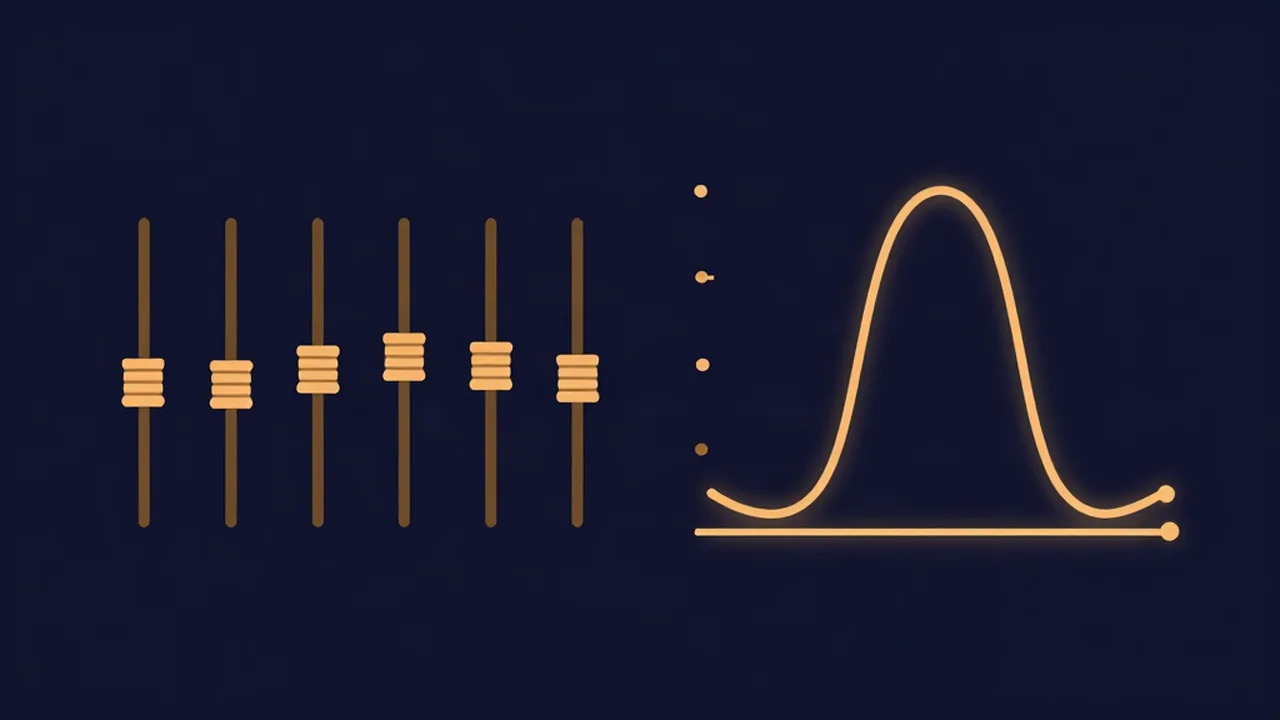
The whole parametric vs graphic EQ question comes down to one idea — how much of each band you're allowed to adjust — and you can feel the graphic side of it in our free browser EQ: a graphic equalizer gives you a row of fixed-frequency bands where each slider only moves gain up or down, while a parametric equalizer lets you also choose where each band sits and how wide it acts. Same job — reshaping the balance of frequencies in a sound — but a different amount of control per band. Get that straight and a lot of EQ advice that once read like two unrelated tools suddenly reads as one idea set to two levels of precision. If you want the groundwork on what EQ actually does first, that explainer covers the fundamentals; this one is about the two ways an audio equalizer hands you those controls.
Here's the distinction at a glance before we dig in.
| Graphic EQ | Parametric EQ | |
|---|---|---|
| What you adjust | Gain only — one slider per band | Frequency, gain, and Q for every band |
| Bands | Fixed frequencies, fixed width | Movable, and freely re-tunable |
| Best for | Fast, broad tone shaping | Surgical, single-frequency problem-solving |
| Speed | Very fast — one gesture per band | Slower — three decisions per band |
| Precision | Broad strokes | Pinpoint |
| The Vocal Cut tool | This — a 6-band graphic EQ | Not offered; use a DAW for this |
What a graphic EQ is
A graphic equalizer is a fixed row of bands, each with a slider that moves that band's gain up or down and nothing else. The frequency of each band is set for you and never moves; the width of each band is set for you too. The name comes from the payoff of that layout: because every band lives at a fixed spot, the slider positions literally draw the frequency-response curve — high sliders where you've boosted, low sliders where you've cut. You read the shape of your EQ straight off the faders. That visual, one-gesture-per-band feel is exactly why graphic EQs are fast to work with.
Our browser equalizer is this kind — a 6-band graphic EQ. The bands are:
- 80 Hz — a low shelf for overall bass weight
- 240 Hz — the low-mids, where warmth and mud live
- 750 Hz — the mids, body and boxiness
- 2.2 kHz — the upper-mids, presence and bite
- 6 kHz — treble, clarity and edge
- 12 kHz — a high shelf for air and sparkle
Each band is a slider that moves gain by ±12 dB in 1 dB steps, and that's the only control — the frequencies above and the Q (band width) are fixed, exactly as the definition of a graphic EQ says they should be. Those six points map cleanly onto bass, mid, and treble, so if you know a track is bass-heavy or lacking air, you already know which slider to reach for. Move the sliders while previewing and you hear the balance shift live; nothing is uploaded, because your audio never leaves your device.
What a parametric EQ is
A parametric equalizer keeps the same underlying job — boost or cut a region of the spectrum — but hands you three controls on every band instead of one:
- Frequency — where the band acts. You're not stuck at 750 Hz; you can slide the band to 680 Hz or 1.1 kHz to sit exactly on the thing you're targeting.
- Gain — how much you cut or boost, the same up/down move a graphic EQ gives you.
- Q, or bandwidth — how wide a slice of the spectrum the band affects around its center frequency.
That third control is the one worth slowing down on, because it's what a graphic EQ never gives you. Q sets the width of the band. A narrow Q affects only a thin slice of frequencies — surgical, for pulling out one specific problem tone without touching its neighbours. A wide Q spreads the same boost or cut across a broad range — gentle, musical, for shaping the overall tone of a sound rather than attacking one point. Low Q is a wide brush; high Q is a scalpel. Being able to dial that width per band, and to place the band anywhere across the audible frequency range, is the whole reason parametric EQs are the workhorse of serious mixing.
There's also a middle ground worth naming: a semi-parametric EQ lets you set frequency and gain but leaves Q fixed. It's more flexible than a graphic EQ and simpler than a full parametric — common on mixer channel strips — but the two ends of the spectrum are what matter most here.
The real difference: what you can adjust
Strip away the layouts and the marketing and the dividing line is a single question: what can you adjust on each band?
- Graphic EQ: gain only. Frequency and Q are fixed. One decision per band.
- Parametric EQ: frequency, gain, and Q — all three, all adjustable. Three decisions per band.
That's the entire distinction. Everything else — the sliders that draw a curve, the surgical notches, the speed of one versus the power of the other — falls out of that one fact. A graphic EQ trades adjustability for speed and readability: you give up control over where and how wide, and in return you get a fast, visual tool you can shape in seconds. A parametric EQ trades that speed for reach: you make more decisions per band, and in return you can put a precise cut or boost anywhere, at any width. Neither is better. They're the same idea — reshaping frequency balance — offered at two levels of control for two different kinds of job.
When to use each
If you need broad, fast tone shaping, reach for a graphic EQ. Warming up a thin recording, taming a harsh top end, dialing in a genre-style curve, nudging the balance of a finished track before export, adjusting on the fly while you listen — these are broad-strokes moves across whole regions of the spectrum, and the fixed bands of a graphic EQ are all the resolution you need. You want the answer in one gesture, and you want to see the shape you've made.
If you need to solve a specific frequency problem, reach for a parametric EQ. Notching out a single ringing resonance, taming a harsh sibilant region on a vocal, tightening up a narrow band of low-mid mud without thinning the whole bottom end, carving space for one instrument to sit against another — these all depend on choosing an exact frequency and an exact width, which only a parametric EQ gives you. When the fix is "there's one narrow thing wrong and I need to pull just that out," that's parametric territory, full stop.
Most real work uses both instincts even if you only have one tool in front of you: broad shaping first, surgical fixes second. Knowing which mindset a task calls for is half of using EQ well — the guide to how to EQ a vocal walks through both moves on a real voice.
What Vocal Cut's equalizer gives you
Vocal Cut's equalizer is a graphic EQ, and it's honest about that. Six fixed bands, from an 80 Hz low shelf up to a 12 kHz high shelf, each a ±12 dB gain slider in 1 dB steps. You load a file, move the sliders while it previews so you hear every change live, then export losslessly — the audio is processed on your own device and never leaves the browser, and there's no account and no server-imposed upload limit.
For the vast majority of what people actually want an EQ for — adding warmth or air, cutting harshness, evening out a track's tone, tailoring a mix to your ears before you export — a 6-band graphic EQ is exactly the right tool, and a faster one than a full parametric would be. Where it stops is surgical work: if you need to hunt down one narrow frequency and pull only that out, the fixed bands and fixed Q can't place a cut that precisely — that's a job for a parametric EQ in a DAW. The tool is built to be the fast, clear, tone-shaping option, and it doesn't pretend to be the scalpel.
Frequently asked questions
What is the difference between parametric and graphic EQ? A graphic EQ gives you a row of fixed-frequency bands, and on each one you can only move the gain up or down — the frequency and the width are set for you. A parametric EQ lets you adjust three things on every band: the frequency (where it acts), the gain (how much you cut or boost), and the Q or bandwidth (how wide a slice it affects). The dividing line is simply how much of each band you're allowed to adjust — gain only, versus frequency plus gain plus Q.
Is parametric or graphic EQ better? Neither is better; they're built for different jobs. A graphic EQ is faster and more visual — the slider positions draw your EQ curve, so it's ideal for broad, quick tone shaping. A parametric EQ is more precise, letting you place a cut or boost at an exact frequency and width, so it's the tool for surgical problem-solving. Choose by the task: broad shaping calls for graphic, single-frequency fixes call for parametric.
What is Q or bandwidth in an EQ? Q, also called bandwidth, sets how wide a range of frequencies a band affects around its center point. A narrow (high) Q touches only a thin slice — surgical, for pulling out one specific problem tone. A wide (low) Q spreads the same boost or cut across a broad range — gentle, for shaping overall tone. Graphic EQs use a fixed Q on every band; adjustable Q is one of the things that makes a parametric EQ parametric.
Is Vocal Cut's equalizer parametric or graphic? It's a graphic EQ. It has six fixed bands — an 80 Hz low shelf, peaking bands at 240 Hz, 750 Hz, 2.2 kHz and 6 kHz, and a 12 kHz high shelf — and you control only the gain on each, by ±12 dB in 1 dB steps. The frequencies and Q are fixed, which is the textbook definition of a graphic EQ. It's built for fast, broad tone shaping rather than surgical single-frequency work.
Can I do surgical EQ cuts in a graphic equalizer? Not precisely. A graphic EQ's bands sit at fixed frequencies with a fixed width, so you can't place a narrow cut exactly on a single problem tone the way a parametric EQ can. You can lower the nearest band, but that affects a whole region, not one pinpoint frequency. For surgical work — notching a resonance or a harsh sibilant region — you want a parametric EQ in a DAW.